Riverside and Contrast webinars are platforms both solid choices for teams looking to upgrade their webinar setup. But they were built for different jobs, and understanding that difference saves a lot of frustration, and in some cases money down the line.
Riverside started as a podcast and video recording studio. It's genuinely excellent at that. The webinar product is a newer addition, functional, but built on top of a content creation architecture rather than a demand generation one.
Contrast was built from the start for B2B marketing teams running webinars as a pipeline channel. The product decisions, registration infrastructure, HubSpot integration, attendance mechanics, replay engagement tracking, reflect that original intent.
This comparison is for marketing teams trying to decide whether Riverside's webinar product covers what they actually need, or whether a purpose-built platform is worth it.
Where Riverside is strong
Let's start with what Riverside genuinely does well, because the case for it is real. Originally, Riverside is a podcast tool that later built webinar functionality on top of the existing platform. This has advantages, as well as disadvantages. Let's look at what these are.
Recording quality
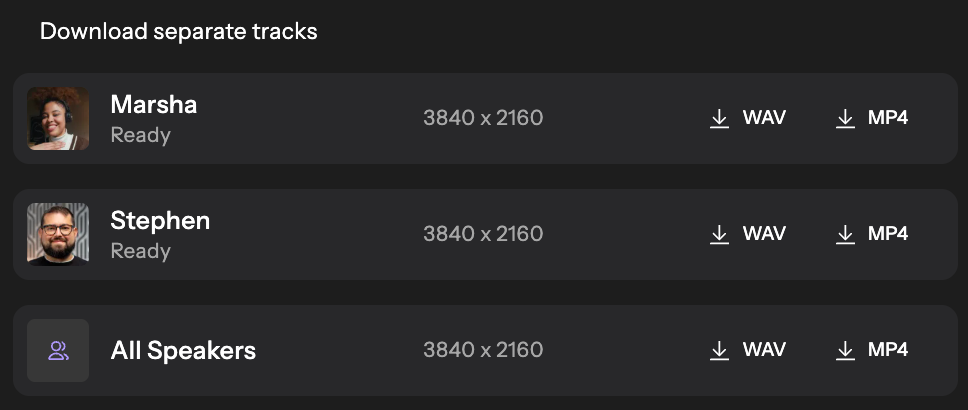
Riverside captures separate video tracks locally per participant rather than recording a composed live stream. The result is studio-grade audio and video regardless of bandwidth conditions. For podcast episodes, YouTube content or polished pre-recorded streaming, the output quality will typically exceed what dedicated webinar platforms produce.
AI content repurposing
After a session, Riverside generates short clips, suggested hooks and transcript-driven content automatically. Teams that publish content from recordings, podcast episodes, clips, newsletter excerpts, will find this genuinely useful and well-integrated. In our tests, the results are good and although not ready for publishing, can be made so in a few small tweaks.
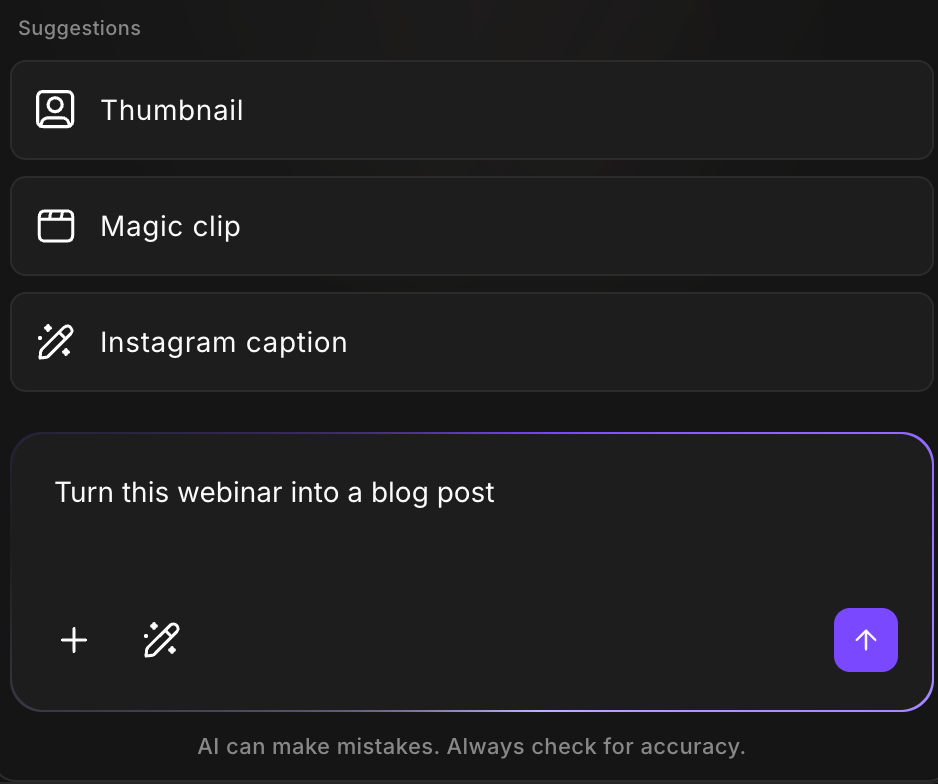
Pre-recorded webinar streaming
If you're running a polished pre-recorded session where visual production is the priority, Riverside's quality advantage carries over. The session looks better than most live streams from other webinar platforms such as Livestorm, or Univid.
One tool for multiple formats
If your team runs a podcast, a newsletter and the occasional webinars, Riverside's case is straightforward: one platform covers all of these use cases with different features. But based on feature richness, it's clear the podcast product is the main product.
What Riverside's Webinar Product Looks Like in Practice
The webinar plan ($79/month) covers the core needs for a simple live event: a registration page, automated email reminders, live Q&A and reactions and basic analytics. The HubSpot integration is available on this plan as well. But that does not mean it automatically is the right fit for marketing teams running webinars.

Using our marketing lens, we looked at analyzed Riverside's webinar product. Here are a few things worth knowing before you commit:
Limited branding and customization
Riverside offers basic registration pages, webinar experience and reminder emails. It's important for marketing teams wanting to recreate a branded experience, that Riverside will likely fall short on your expectations. Take for example their registration pages, which offers only the ability to upload a logo. Other webinar platforms often offer more customization with colors, or webinar cover images.
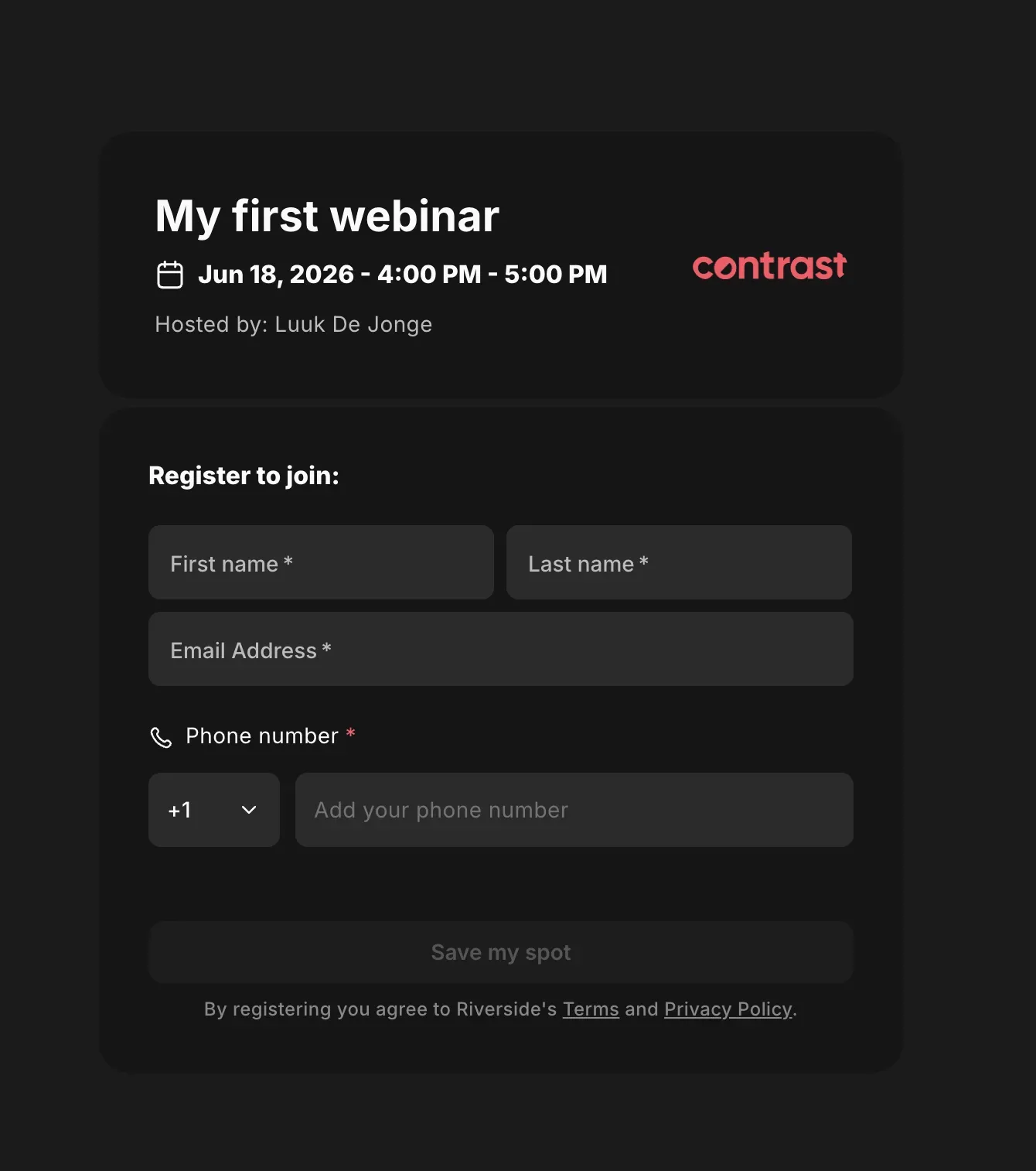
Fortunately, Riverside has strong branding features for the video itself – somewhat saving the day. These are easy to set up and create certainly a recording that's worthy of sharing.
The registrant ceiling is low
The webinar plan supports up to 100 registrants. Most B2B marketing teams outgrow this quickly. Scaling to more than 100 monthly registrants requires the Business plan at custom pricing. Riverside does not publish these prices publicly. And it's not possible to purchase this plan without going through sales. It also seems a few extra features are unlocked on the Business plan such as Salesforce. There is no evidence that the Business plan unlocks more webinar specific features.
Engagement features only scratch the surface
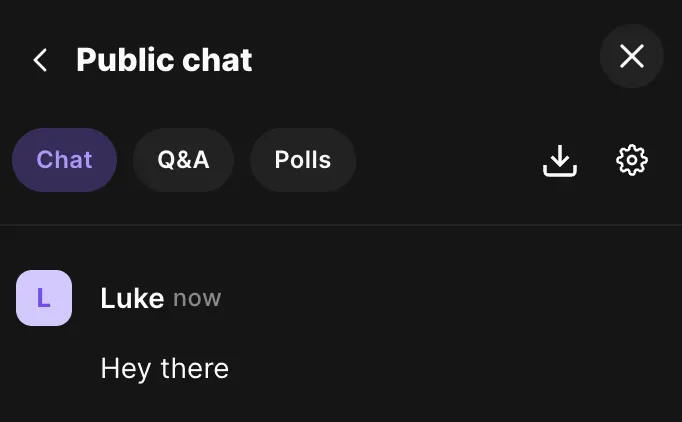
Riverside ticks the boxes on most engagement features, such as Q&A and Polls. However, if you dig a little deeper you'll find that things such as emoji reactions in chat are missing. Native call-to-actions are also missing, even though Riverside proposes workarounds such as using a pinned message.
Replay is available but limited
Recorded sessions can be accessed and downloaded, but Riverside doesn't offer a gated replay with active engagement features. Poll and CTA interactions don't remain live in replay, and replay engagement doesn't sync to HubSpot. In 2026, 42% of views comes from on-demand , it would be unwise to miss on this.
HubSpot integration limited for B2B
Riverside's documentation describes the integration as "sync leads and track webinar performance." What this covers, isn't specified. The phrasing suggests basic lead data rather than granular engagement tracking. And our tests confirm this. Yes, you'll know who registered, or attended your webinar – but that's where it stops. Marketing and sales team using webinars to drive sales and move deals forward in their pipeline will understand that this data is not enough.
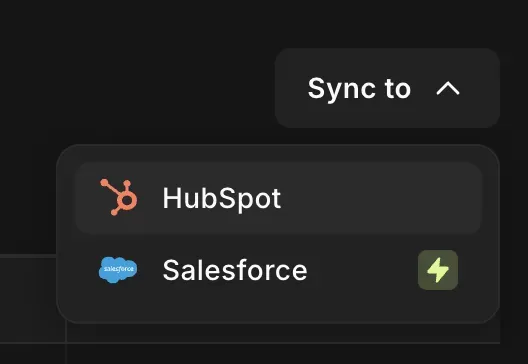
Moreover, Riverside requires you to manually sync data to HubSpot. This can only be triggered by the user, and it's not possible to schedule this. This is a cumbersome task that will slow many marketing teams down.
Riverside for webinars: a starting point
There is no doubt Riverside will improve its product for webinars in the future. But at the same time, it's a podcast tool first and foremost. This is clear after looking the platform's features. Are you hosting mostly podcasts, and now want to try out webinars? Riverside is your platform.
Marketing teams with an established webinar program however, will find Riverside limiting for webinars. Riverside lacks in branding features, for things such as the registration pages, or webinar experience. And even if you don't need Riverside's registration pages, you'll find that you need a custom API setup to get registrants flowing.
Analytics only work for live webinars, not for on-demand webinars (by the way, you can't host gated on-demand webinars on Riverside). They show you who watched live, and for how long. Nothing more. This makes it difficult to compare webinars amongst each other – and of course, understand which attendees were more engaged than others. Not to speak of this data not syncing to HubSpot, and you thus needing to manually deal with CSVs, or simply lack the understanding.
Its engagement features exist but often only scratch the surface. For example, chat is basic, does not have a reply-to feature, nor emojis. CTAs exist only through a workaround: pin a message.
This goes to show that teams with a working webinar program, will likely soon run into the platforms limitations. Except for the plan with 100 monthly registrants, Riverside pushes you into a year long contract. That means it's advisable to make a thorough product walkthrough before committing to ensure you don't run into these limitations.
Teams with an established webinar program should check out Contrast. It helps marketing teams run successful webinar programs that look and feel like their brand, generate real pipeline that is tracked down all the way into HubSpot. Once the webinar is over, AI has already done the heavy lifting with subtitles clips ready for social media, a blog article – or what you ask of it.
What Contrast Is Built For
How do I get to create a webinar experience that feels as close as possible to my brand? How many people registered, how many showed up, how long did they stay, what did they interact with, and how did that translate into pipeline?
Contrast is organized around a different set of questions. It's built with B2B marketing teams who run webinars first in mind. That means that the friction you experience sometimes on Riverside, are polished out features in Contrast's experience. Let's look at what these are.
Contrast's live webinar experience
Registration and attendance mechanics
Contrast has a fully branded webinar experience, including high converting registration pages. These are missing on Riverside, as they are blank pages without any branding. Their custom registration form works – however does not map to fields on HubSpot.
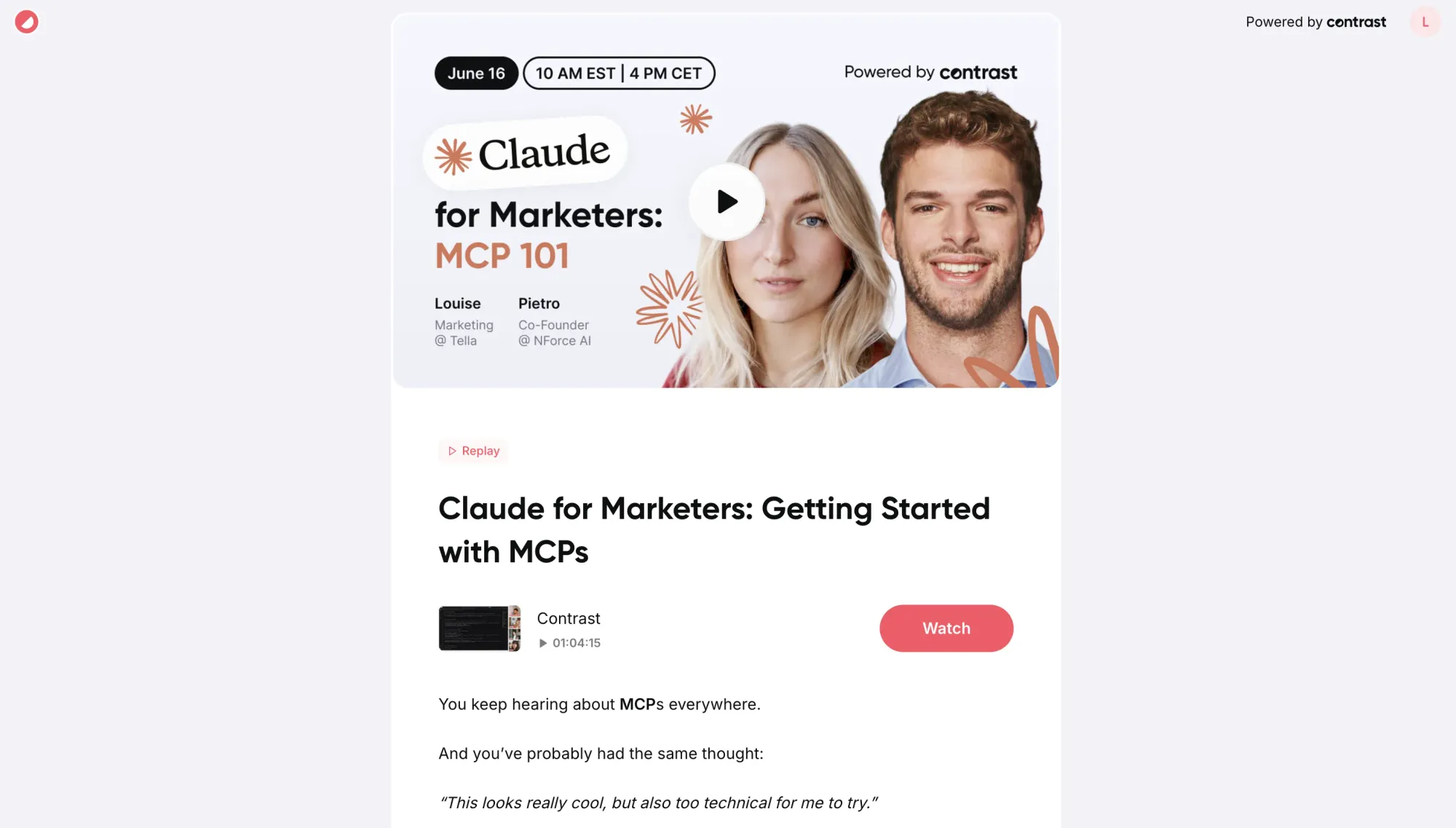
In case you use your own registration page, it's difficult to integrate and send registrants to Riverside. This needs a custom setup, and likely the help of your developer. With Contrast, this is just a simple workflow.
Calendar invites with unique join links go out automatically on registration. This mechanic, not a design flourish, directly drives Contrast's average attendance rate of 45–50%. Reminder emails run on a configurable cadence and are fully customizable with logos, cover images, colors – and of course your custom sender name.
Check out all of Contrast's features
Never a dull moment
Webinars without engagement quickly turn into boring presentations. Contrast offers all the webinar engagement features you would expect from a modern webinar platform, including chat, Q&A, CTAs and polls. A distinctive feature is the ability to add something such as a poll on stream through the click of a button; transforming your webinar into an engaging and branded experience.
Polls on Contrast
Compared to Riverside, Contrast's engagement features also carry depth. Chat for example has emoji reactions. And there is a dedicated CTA feature. These are features that are missing on Riverside.
Tracking and analytics
Compared to Riverside, Contrast has in-depth analytics on the overall performance of your webinar. It shows you overall watch time, attendance rates and more. This makes it possible to compare webinars against each other. You also have detailed analytics on the registrant level, including how long people have attended and whether they watched live, or on replay. Riverside only shows view time for live webinars, and as has analytics for replays simply because they are not gated.
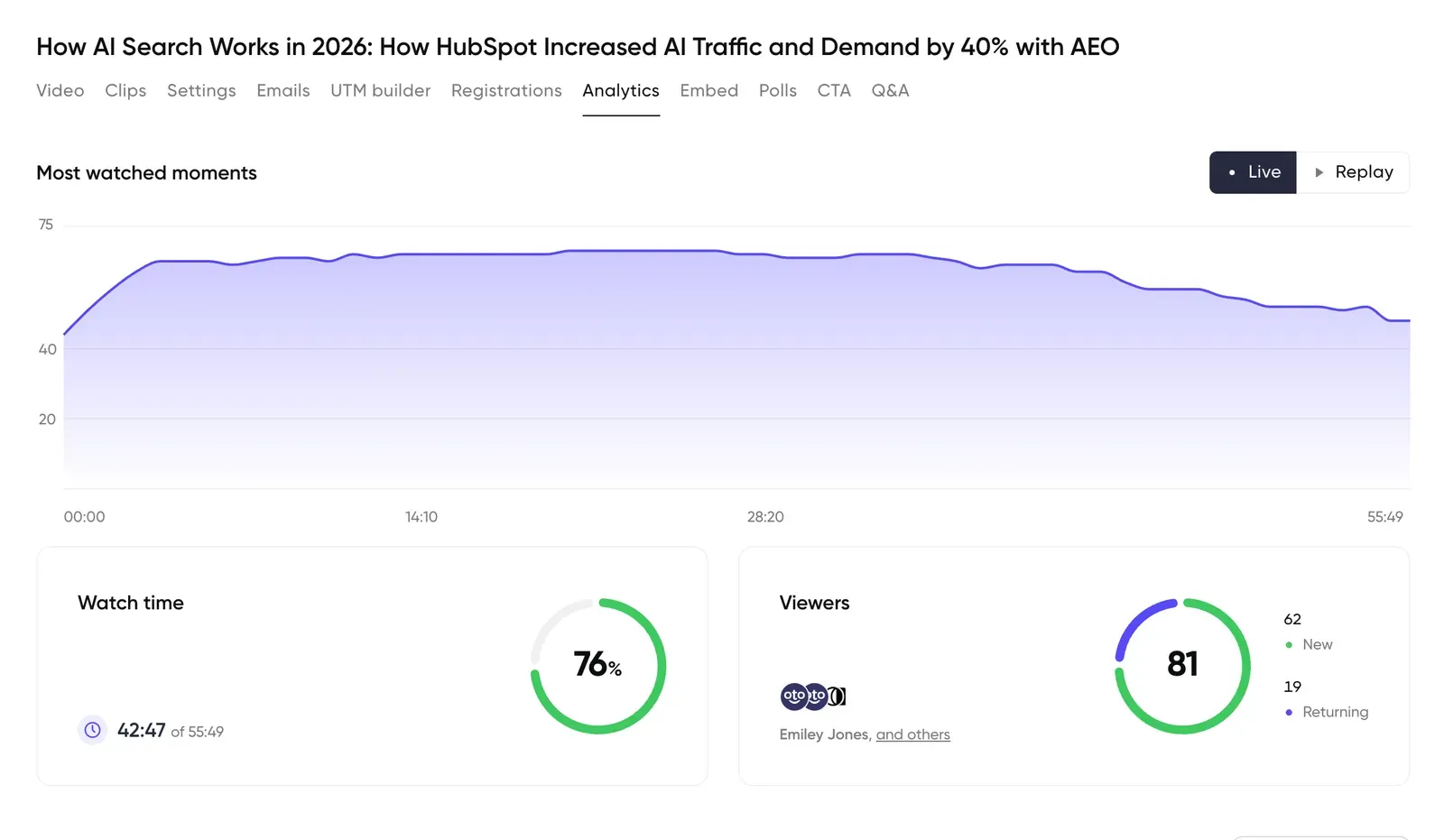
Contrast goes further than Riverside and will also give you reports on all the engagement that attendees generate during the webinar. Chat messages, poll answers, marked questions and CTA clicks are all tracked, visible in platform and of course also synced to HubSpot, or another connected CRM.
HubSpot integration depth
Contrast connects to HubSpot in two clicks with no need for a developer. What it syncs goes beyond lead data: watch time percentage per contact, poll question and answer text, CTA clicks, Q&A questions, replay views and UTM attribution from the registration source. Every interaction creates a timeline event in HubSpot. Contacts can be filtered by watch percentage, poll answer or replay behavior in HubSpot lists and workflow triggers.
See a contact's engagement with Contrast Engagement Timeline
One HubSpot practitioner who reviewed Contrast put it plainly: "Every webinar platform promises a HubSpot integration, but most of them are lying." The specific data points, poll answers mapped to persona fields, watch time thresholds triggering sales sequences, are what make it actionable rather than decorative.
Replay with tracked engagement
Every webinar is automatically recorded on Contrast. It's available on the same URL as the live webinar. That means it's also gated, behind the same branded registration page. This makes it easy for people who missed it live to tune in after the webinar is over. Prescheduled follow-up emails ensure that people also watch your recording. On Riverside, you need to download the recording – and gate it using another tool.
Contrast's replay keeps polls and CTAs active, and replay engagement syncs to HubSpot with the same properties as live attendance. A contact who watches the replay after missing the live session gets the same engagement tracking. The same counts for any poll votes, or CTA clicks people make on the replay.
Side-by-Side: Key Dimensions
| Riverside | Contrast | |
|---|---|---|
| Video/audio quality | Studio-grade (local recording) | Professional (streaming) |
| AI repurposing | Strong — clips, hooks, content suite | Good — suggested clips, transcript |
| Slide presentations | Not supported | Full slide deck support |
| Branded registration | Available (Webinar plan) | Full customization |
| Automated emails | Reminders + follow-up | Configurable cadence |
| Live polls | Available, basic | Available, synced to HubSpot |
| Q&A | Yes | Yes (public and private modes) |
| In-webinar CTAs | No | Yes, tracked in HubSpot |
| Replay with engagement | No | Yes — polls and CTAs remain active |
| HubSpot integration | Lead sync (Webinar plan) | 50+ data points, native |
| Watch time in HubSpot | Not documented | Yes, per contact per event |
| Poll answers in HubSpot | Not documented | Yes, question + answer text |
| Registrant limit (base plan) | 100 | Higher — varies by plan |
| Pipeline attribution | Not available | Via HubSpot Customer Journey Analytics |