from Emily Tyler, Senior Manager of Content Marketing at KitchenAid, as told to Contrast
KitchenAid, a Whirlpool brand, runs two very different webinar programs on Contrast. One builds community with home cooks. The other trains retail staff on the products they sell. Both land in the top 5% of registrant volume across all Contrast customers.
That alone would be a good result. What makes it more interesting is watch-time. KitchenAid's webinars average 81% watch-time, and the audience grows through the session instead of dropping off. Consumer marketing specialist Emily Tyler runs the consumer program solo, moderating live sessions with more than 800 attendees alongside a single host.
Contrast also does more for KitchenAid than run the live event. Every webinar transcript feeds their AEO and SEO content strategy. Every Q&A and chat log gets distilled and routed to product, customer success and marketing, so the rest of the business knows what customers are asking before those questions show up anywhere else. For a two-person team, Contrast turns one live session into content for three other departments. That's on top of the registrant volume and watch time already driving the program itself.
Results at a Glance
Since moving to Contrast, KitchenAid has scaled two distinct webinar programs without adding headcount, and turned every session into reusable content across the business.
Metric
Result
Registrant volume
Top 5% of all Contrast customers, on nearly every webinar run
Webinar completion rate
81% average watch time, with attendance building through the session instead of dropping off
Team required to run 800+ attendee sessions
Two people: one moderator, one host
Webinar programs run on Contrast
Two: consumer community (KitchenAid Academy) and trade/reseller training (KitchenAid Retail Virtual Training)
Content generated per webinar
Transcript repurposed for AEO/SEO content, plus Q&A themes distilled and routed to product, customer success and marketing
Contrast delivers every one of these results through the platform, letting Emily manage registration, hosting, moderation and repurposing largely on her own, without a dedicated events team or a separate tool for each job.
KitchenAid, a Whirlpool brand, is one of the most recognized names in kitchen appliances worldwide, known for stand mixers, coffee machines and small appliances sold through retail partners around the globe. Emily Tyler is a consumer marketing specialist at KitchenAid, and she runs the brand components of KitchenAid's marketing, including its webinar program.
Their program covers two audiences. KitchenAid Academy reaches home cooks directly, building brand community around products people already own. KitchenAid Retail Virtual Training reaches the retail staff who sell KitchenAid products in stores, training them on new releases so they can sell with confidence on the shop floor. Emily runs both on Contrast.
Why KitchenAid Moved From Zoom to Contrast
Before Contrast, KitchenAid ran its webinars on Zoom. Zoom didn't have the capabilities KitchenAid needed to run the kind of program it wanted, and four gaps stood out in particular.
No studio experience for hosts: Zoom had no dedicated space for a host to prepare and present, the way Contrast's studio does.
No real moderation layer: Running a live session at scale meant no clean way to manage the call, flag questions or control the flow the way a dedicated moderator role should.
No branding control: There was no way to change the look and feel of a session to match KitchenAid's brand.
No unified follow-up: Registration, hosting and post-webinar emails lived in separate tools instead of one platform, since Zoom couldn't send the type of webinar communications KitchenAid required.
"It didn't have as many features, like having a studio, having a moderator on the call, being able to change the themes of the call, and being able to send emails out post-webinar, all from the one platform," Emily said.
KitchenAid found Contrast almost by accident, at an information session hosted by Meta. Someone from the team saw Contrast in use there, which prompted a closer look. Contrast now runs the studio, the moderation, the branding and the post-webinar emails from one place, closing every gap Zoom left open.
One Platform, Two Programs: How KitchenAid Runs Consumer Community and Trade Training on Contrast
KitchenAid reaches two very different audiences within its webinar program, running both from Contrast. For a brand with KitchenAid's scale this is a huge benefit having one platform covering a consumer community program and a trade enablement program, without switching between tools.
KitchenAid Academy: Building Consumer Community
KitchenAid Academy on Contrast
KitchenAid Academy runs monthly and brings in home cooks who already own KitchenAid products, or want to. Contrast hosts the live chat, the Q&A and a training specialist answering questions in real time, all built around a single theme, like a new coffee machine or mixer attachment.
"This is more about building a community. Everyone can join, the chat's flowing throughout the whole session, everyone's able to ask questions. It's not so much about selling the products to people, but it's just about that community feel," Emily said.
KitchenAid Retail Virtual Training: Enabling the Retail Team
KitchenAid Retail Virtual Training reaches the retail staff who sell KitchenAid products on the shop floor, not the end consumer. Contrast trains that audience on new product releases so store staff can sell with confidence the moment new stock arrives.
"The virtual training isn't as big of an audience base. Usually there's about 200 people, but we had a really good turnout last night. It's for people who work at the shops that stock our products, and they jump on to learn all about the new products," Emily said.
Both programs generate more than a live audience. The chat, the Q&A and the questions people ask on each call feed directly into how KitchenAid plans content, campaigns and support, which is where Contrast's repurposing tools come in.
KitchenAid's Webinar Results: Top 5% Registrant Volume, 81% Watch Time and a Content Engine for the Whole Business
KitchenAid's webinars produce two kinds of results. One is what happens during the session itself. The other is everything that happens after it ends.
The Live Results: Top 5% Registrant Volume and 81% Watch Time
KitchenAid's webinars land in the top 5% of registrant volume across every customer on Contrast, on nearly every session the brand runs.
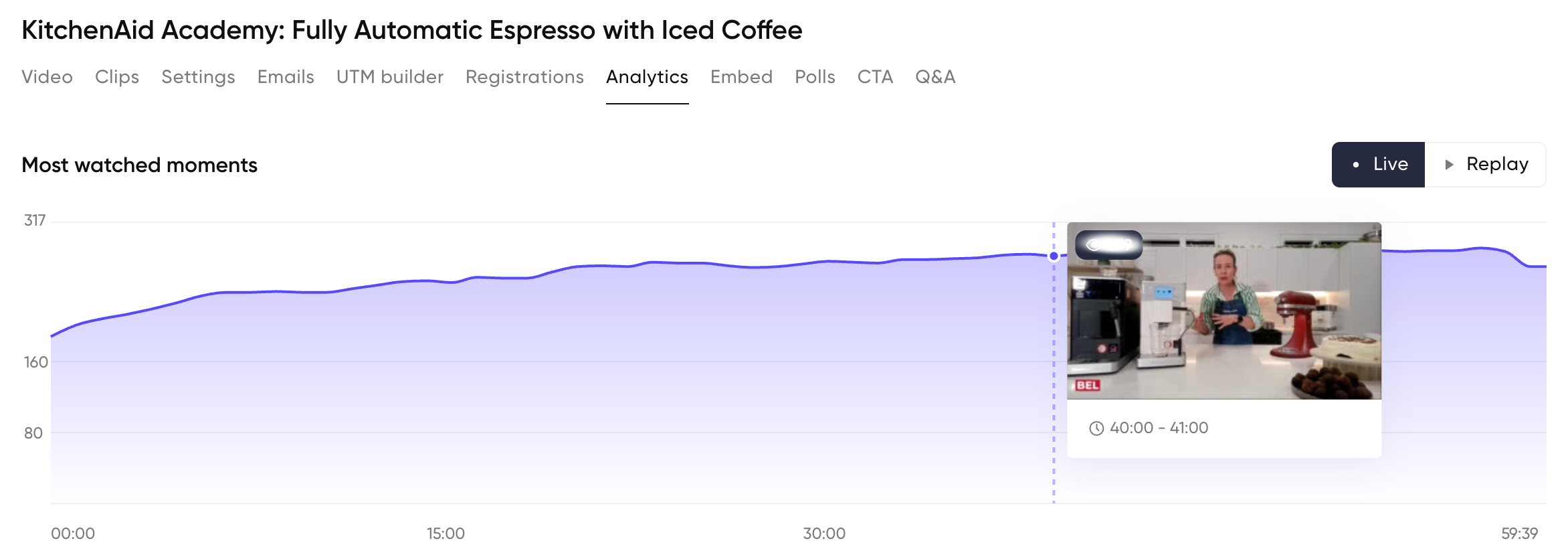
People also stay once they've joined. KitchenAid's audience watches an average of 81% of every session, and attendance actually climbs as the webinar goes on instead of dropping off, which is the opposite of what most webinars see.
KitchenAid's viewers watch 81% of every session, with audience growing during the webinar
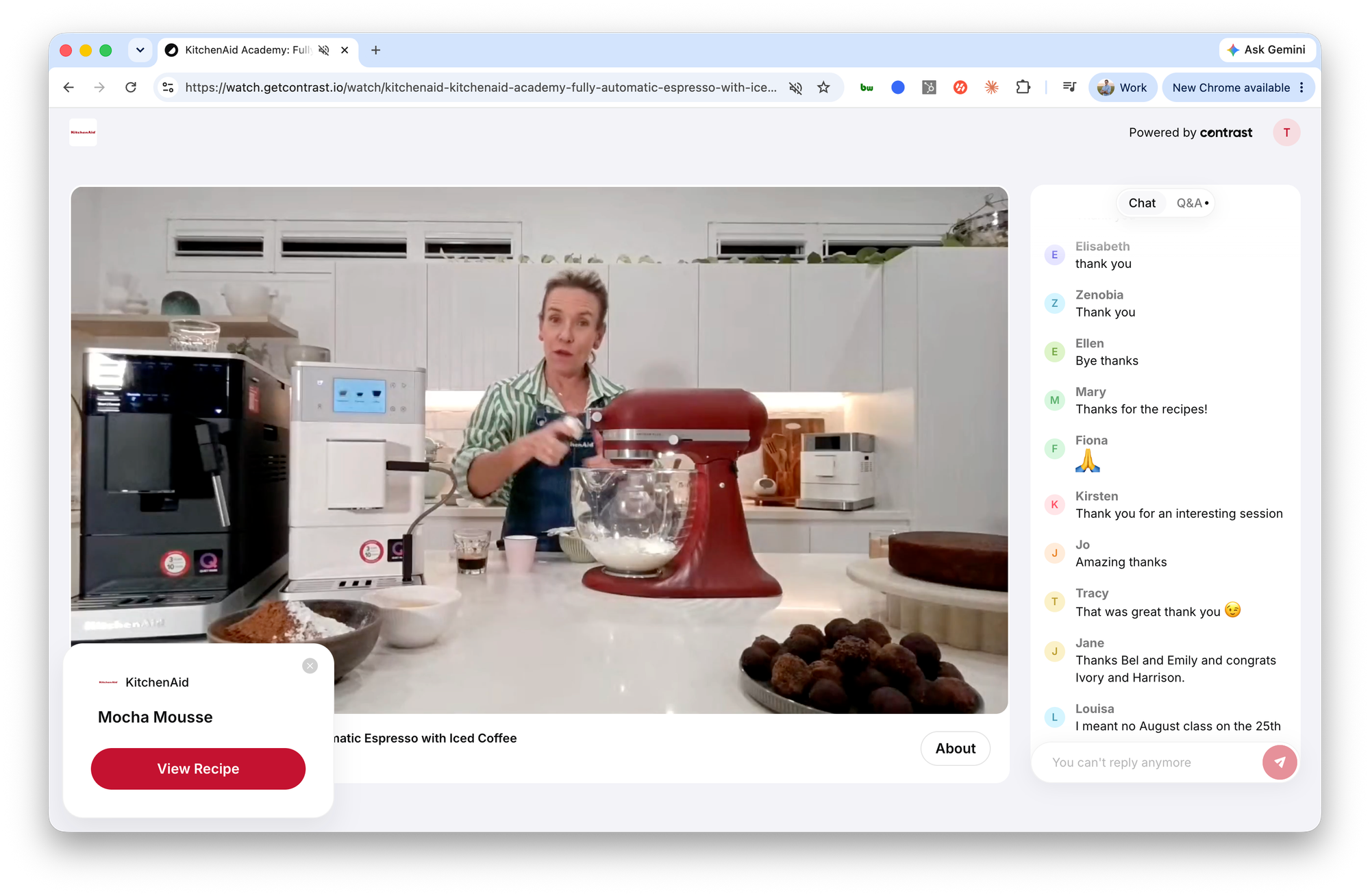
The reason is simple. Emily runs the chat and Q&A throughout the session on Contrast, flagging questions for Belle, KitchenAid's training specialist, to answer live. Attendees jump in and answer each other too. "People are asking questions in the chat, and people in the chat are also answering the questions other people are asking. It's a really nice dynamic," Emily said. That turns a session about a new coffee machine or mixer attachment into a conversation instead of a presentation, and people stay in a conversation.
The reason is simple. Emily runs the chat and Q&A throughout the session on Contrast, flagging questions for Belle, KitchenAid's training specialist, to answer live. Attendees jump in and answer each other too. "People are asking questions in the chat, and people in the chat are also answering the questions other people are asking. It's a really nice dynamic," Emily said. That turns a session about a new coffee machine or mixer attachment into a conversation instead of a presentation, and people stay in a conversation.
The Bigger Result: Every Webinar Becomes Content for Marketing, Product and Customer Success
The webinar itself is only half of what KitchenAid gets from Contrast. Every session also produces a transcript and a full chat and Q&A record, and KitchenAid puts both to work well beyond the live event.
On the content side, Contrast's transcripts feed directly into KitchenAid's AEO and SEO strategy. "We're very much on our AEO / SEO journey, and the agency we're working with loves the transcript. It's very rich content to put onto our website," Emily said. Instead of writing new source material from scratch, KitchenAid's agency works from what Belle already said live, in her own words, on every call.
The chat and Q&A do a second job. Contrast summarizes them and Emily sends them to stakeholders across the business. "We summarize the Q&A and chat transcripts and give them to all stakeholders in the business. What we get from that is common themes and common trends," Emily said. That single habit does three things at once:
It gives marketing a head start on the next campaign. Common questions from one webinar show Emily's team what to cover, and how to frame it, in comms going forward.
It gives product real customer feedback. Recurring questions and requests surface patterns product teams would otherwise have to go looking for.
It gives customer success a preview of what's coming. When a new product like a coffee machine generates a wave of similar questions on a webinar, customer service can prepare answers before those same questions land in a support queue.
None of this was the original point of running a webinar. It became valuable enough on its own that KitchenAid went back and pulled every transcript from the very first session it ran on Contrast.
"Once we realized how great the transcripts were, we actually backdated to when we first started on the platform and downloaded all of them," - Emily Tyler
Contrast is what makes both halves of this possible. The live chat, the Q&A, the recording and the transcript all come out of one platform, which is what lets a single webinar turn into registrant growth, an engaged audience and usable content for three other teams. KitchenAid's doesn't need a second tool to make it happen. And the team actually doing all of this is smaller than you'd expect.
How KitchenAid Runs 800-Person Webinars With a Two-Person Team
KitchenAid's entire webinar program, both the live sessions and everything they produce afterward, runs through a team of two. Emily moderates. Belle hosts.
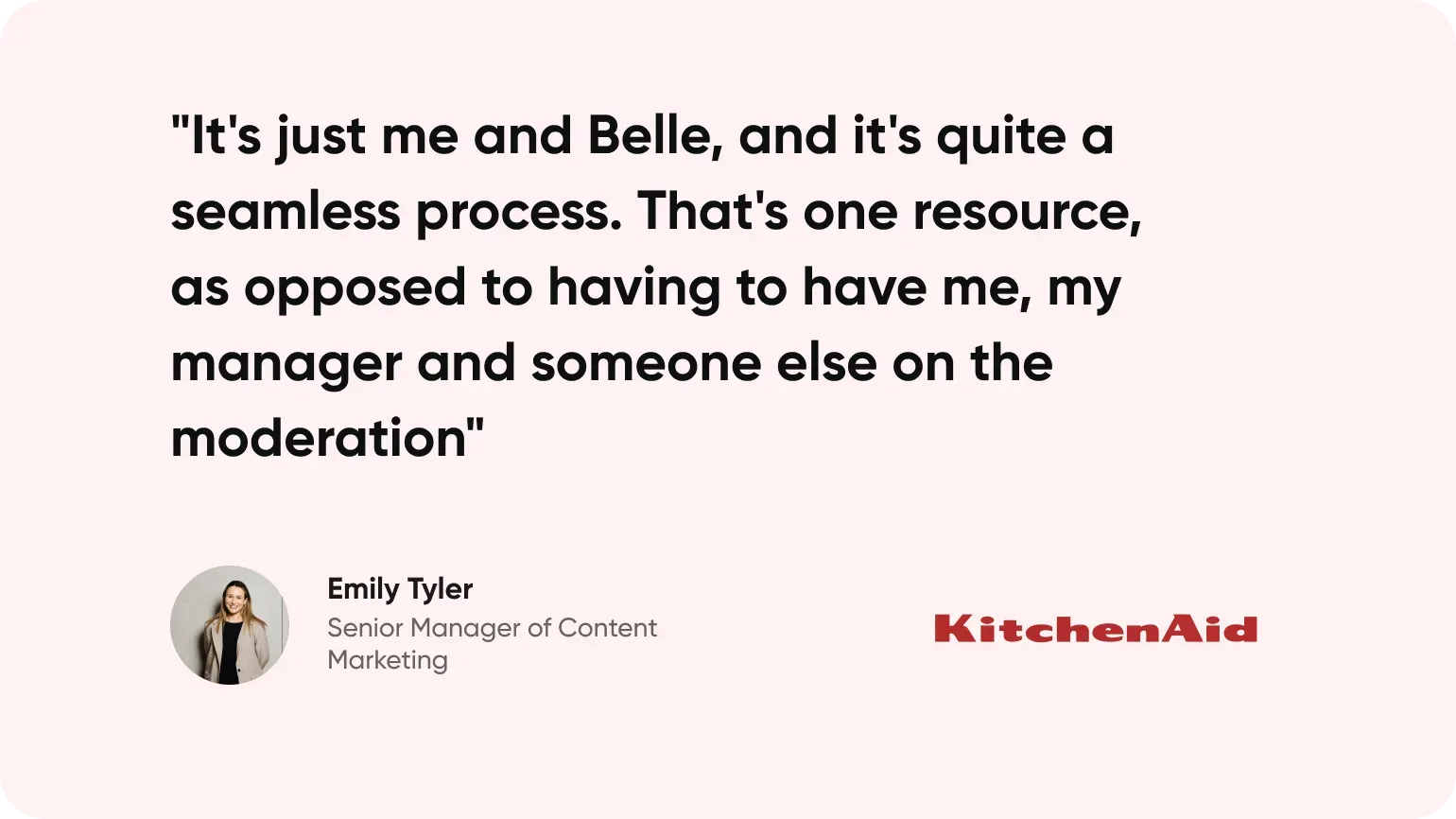
"It's just me and Belle, and it's quite a seamless process. That's one resource, as opposed to having to have me, my manager and someone else on the moderation," Emily said.
That's the real ROI on top of everything covered above. Contrast doesn't just make running one webinar easy. It makes the full webinar workflow easy, meaning KitchenAid didn't have to build a bigger team. The results scale, but the headcount doesn't.
That's possible because Contrast's studio setup does the coordination work a bigger team would otherwise have to do live. Before a session starts, Emily loads the click-through links and on-screen cues she'll need in advance, so nothing has to be set up in the moment while an audience is watching. During the session, she flags questions in the Q&A so Belle knows exactly what to answer and when, without either of them breaking flow to figure it out.
0:00
/0:07
Contrast's studio allows audiences to interact directly with your brand
"It's just one person moderating 800 people, and it [Contrast] makes it quite an easy task, with all the functions, being able to preset the links to click through, being able to mark a question for the chat, so I know what questions I need to read out to Belle when the chat's coming through," Emily said.
Emily also points to the platform itself as the reason the whole operation stays this lean. "It's very user friendly. I really like the features. I think even the Studio Access is also a really nice tool. I can go in, get all the cues on the screen, the click-through links we want to show, before the session even starts," she said.
For an enterprise brand running two separate webinar programs, that matters beyond convenience. Contrast is what lets KitchenAid scale a community program and a trade training program at once, at hundreds of attendees per session, without scaling headcount to match.
What's Next for KitchenAid on Contrast
KitchenAid isn't chasing a new format or a new audience next. The plan is to keep doing what's already working, and get better at it. They'll keep building community in KitchenAid Academy, keep training retail staff through KitchenAid Retail Virtual Training, and keep pulling AEO content and business feedback out of every session along the way.
"At the moment we're pretty happy with where we're at. We're still building the community in KitchenAid Academy, and what the platform is doing for us, what we're trying to achieve, it's achieving." Emily said.
One feature already on Emily's radar is Clips, Contrast's short-form repurposing tool. She hasn't used it yet, but she and the team are considering testing it soon, one more way to get value out of sessions that are already outperforming almost every other program on the platform.
Ready to build a webinar program like KitchenAid's? Book a demo and see how Contrast can support your team, whether you're running webinar's for one audience or several.
💡
See how other companies switched from Zoom to Contrast KitchenAid isn't the only team that made the switch. See how other B2B companies improved registrations, attendance and sales pipeline by moving to Contrast. Browse all case studies →
Frequently Asked Questions
Why do consumer brands switch from Zoom to Contrast for webinars?
Zoom Webinars lacks a dedicated studio experience, live moderation tools, branding control and the ability to send registration and follow-up emails from the same platform that hosts the event. Consumer brands like KitchenAid switched to Contrast to run branded, community-focused sessions with all of that built into one tool, instead of piecing together registration pages, hosting and email from separate systems.
What is a good webinar completion or watch time rate?
Most webinars lose viewers steadily from the first few minutes onward, so a strong completion rate is one where a large share of attendees stay until the end. KitchenAid averages 81% watch time on Contrast, with attendance actually climbing as sessions go on instead of dropping off, a pattern driven by keeping the chat and Q&A active throughout the session rather than treating the webinar as a one-way broadcast.
How can companies repurpose webinar transcripts for SEO and AEO content?
A webinar transcript captures a subject matter expert speaking naturally about real questions, which makes it a strong source for AEO and SEO content without writing from scratch. KitchenAid's marketing team feeds every webinar transcript from Contrast to its SEO agency to produce website content, while distilling the Q&A and chat into common themes shared with product, customer success and marketing to inform campaigns, product feedback and support preparation.