
Most AI content repurposing reads exactly like what it is: a prompt in, a paragraph out. Feed a two-line brief into a general-purpose AI tool and ask for a LinkedIn post, and you get a LinkedIn post that's competent, forgettable, and indistinguishable from the fifty other AI-generated LinkedIn posts published in the same hour.
Better source material is the actual fix. A sharper prompt just produces a sharper version of the same generic output.

An hour of a conversation, whether that's a webinar, a customer call, or a panel discussion, has numbers, anecdotes, and disagreement in it that no prompt could invent. AI repurposing works when there's something concrete to extract from. It falls apart when it's asked to manufacture detail out of nothing, which is exactly what happens when the "source" is a one-paragraph brief instead of an actual recording.
This matters more than it used to. Content repurposing was already a known weak spot. Thirty-seven percent of B2B marketers name it as one of their biggest content challenges, according to Content Marketing Institute's 2025 benchmark research. AI made repurposing faster. It didn't fix the underlying problem, and for teams repurposing from thin source material, it made the output faster and more generic at the same time.
Why most AI content repurposing sounds the same
Ask a general AI tool to turn a topic into a blog post and it writes something plausible. Ask it to turn a transcript into a blog post and it writes something with texture, because it has material to work with.
Our owns own marketing team ran this comparison directly: the same repurposing prompt, once against a bare topic and once against a webinar transcript. The generic version read fine and said nothing. The transcript-grounded version pulled stats speakers had mentioned mid-conversation (that only 40% of content marketers have a documented content strategy) and used it to strengthen the argument. Structure and word count were nearly identical between the two drafts. What separated them was whether the model had something real to point to, including a tone of voice.
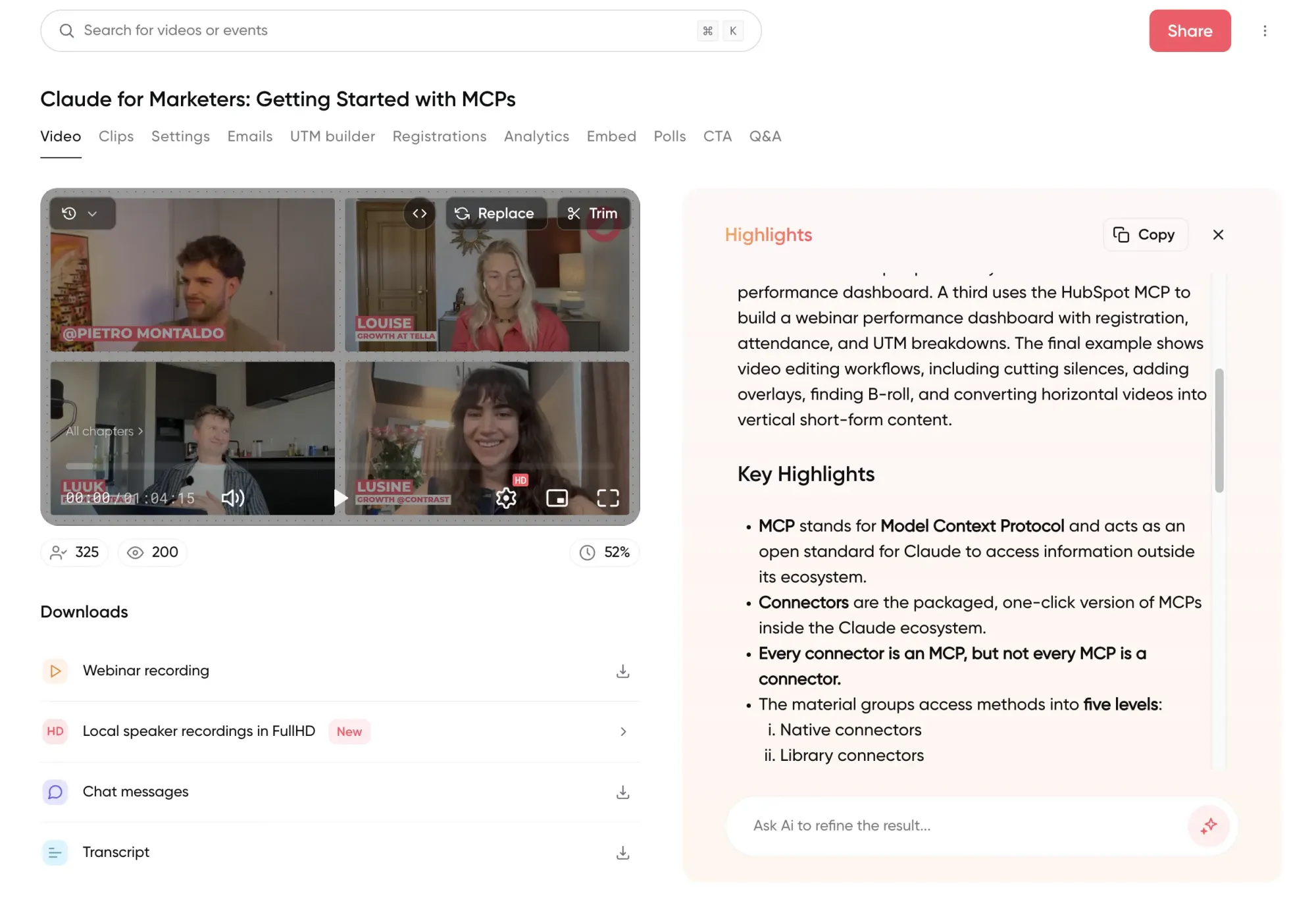
Before AI, repurposing content wasn't a prompting problem, it was a time problem. Watching back a webinar and taking notes runs 2–3 hours. Turning those notes into a decent blog post takes another 3–6. A single clip, cut and captioned by hand, is 45 minutes of work. None of that was ever going to happen consistently, which is a large part of why only around 20% of webinar content typically gets repurposed at all, despite most B2B teams already running webinars as a core content source. AI collapsed that 3–6 hours into something closer to 30 minutes, but only for teams already working from a transcript. Skip the source material and you've just made the generic version faster to produce.
Why video content repurposing starts with webinars
Video keeps winning the argument for where marketing budget goes. Ninety-three percent of marketers say it's now an important part of their strategy, per Wyzowl's 2026 State of Video Marketing report. But not all video repurposes equally well. A polished 90-second product demo has almost nothing left to extract. Every word in it was already deliberate. An hour of webinar conversation is the opposite: unscripted answers, exact numbers dropped mid-sentence, a guest's actual phrasing of a problem, disagreement between speakers. That's raw material an AI tool can pull content from instead of paraphrasing a script that was already tight.
Most teams are sitting on more of this than they're using. On average, 63% of total webinar views happen through the replay rather than the live session, and that share keeps climbing. Our own webinars typically pick up around 100 additional YouTube views per recording after the live event ends. That's a second content source most teams never touch, on top of the transcript itself.
KitchenAid's team didn't realize how much was there until they went looking. Once they started pulling structured content from their webinar transcripts, including routing Q&A themes to product, customer success and marketing as free, unscripted market research, they went back and downloaded every transcript from every session they'd run on the platform. "Once we realized how great the transcripts were, we actually backdated to when we first started on the platform and downloaded all of them," their team said. That archive turned into a standing input for their SEO and AI-search content pipeline, because the raw material had more texture and was more citable than anything a brief could produce.
An AI content repurposing framework for what one webinar becomes
Just randomly repurposing webinars into new content is not a strategy. Take HubSpot's own example, and you'll see it tends to follow the same shape regardless of source: a long-form piece becomes several shorter ones across channels. What matters is grouping repurposed content by what each piece is meant to do. Let's work from there.
Written
The transcript is the raw draft. One click turns it into a summary, a set of highlights, pull quotes, and a first pass at a blog article, usually landing around 800 words. For anything longer, the useful move isn't re-prompting from scratch. It's going section by section, asking the tool to expand each point in the outline individually, then assembling the expanded sections into a full piece. That's roughly how a 2,500-word article gets built from one webinar in about an hour, instead of the 3–6 hours it took by hand.
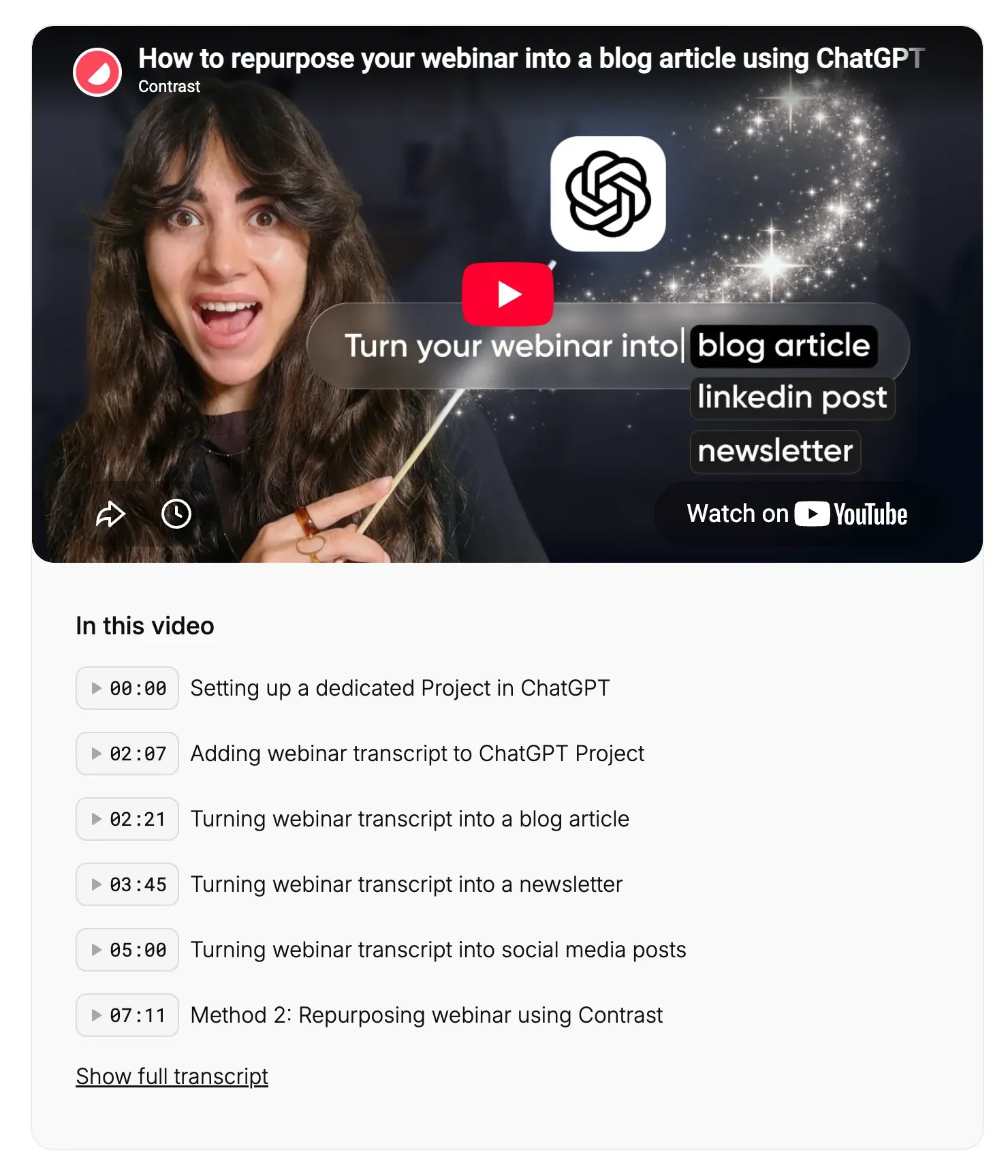
Two written formats are easy to skip and shouldn't be: an FAQ page built directly from the actual Q&A segment, and an email series that spaces a handful of insights across several sends instead of dumping everything into one recap. The FAQ format matters more than it looks. It's structured, it's already phrased the way people ask the question, and that combination is exactly what AI search tools tend to pull from directly when answering related queries.
If your best source material isn't video at all (a flagship blog post, a whitepaper, a research report), the repurposing logic still holds, though the tactics shift. CMI has a solid rundown of remix formats built for exactly that case, and HubSpot's 2026 Social Media Marketing Report covers the lighter version small teams run without any dedicated tooling at all.
Visual
This is where most teams start, and it's the highest-leverage format for reach: an AI model can index the full transcript, score moments for likely social performance based on hooks, numbers, and personal anecdotes, and pre-select 5–10 clips automatically. See how the clip scoring works, part of the broader repurposing feature set. Add quote graphics pulled straight from things speakers said, and downloadable charts built from live poll results. Both work harder than a generic stock-image social post because they're pulled from something that actually happened in the room.
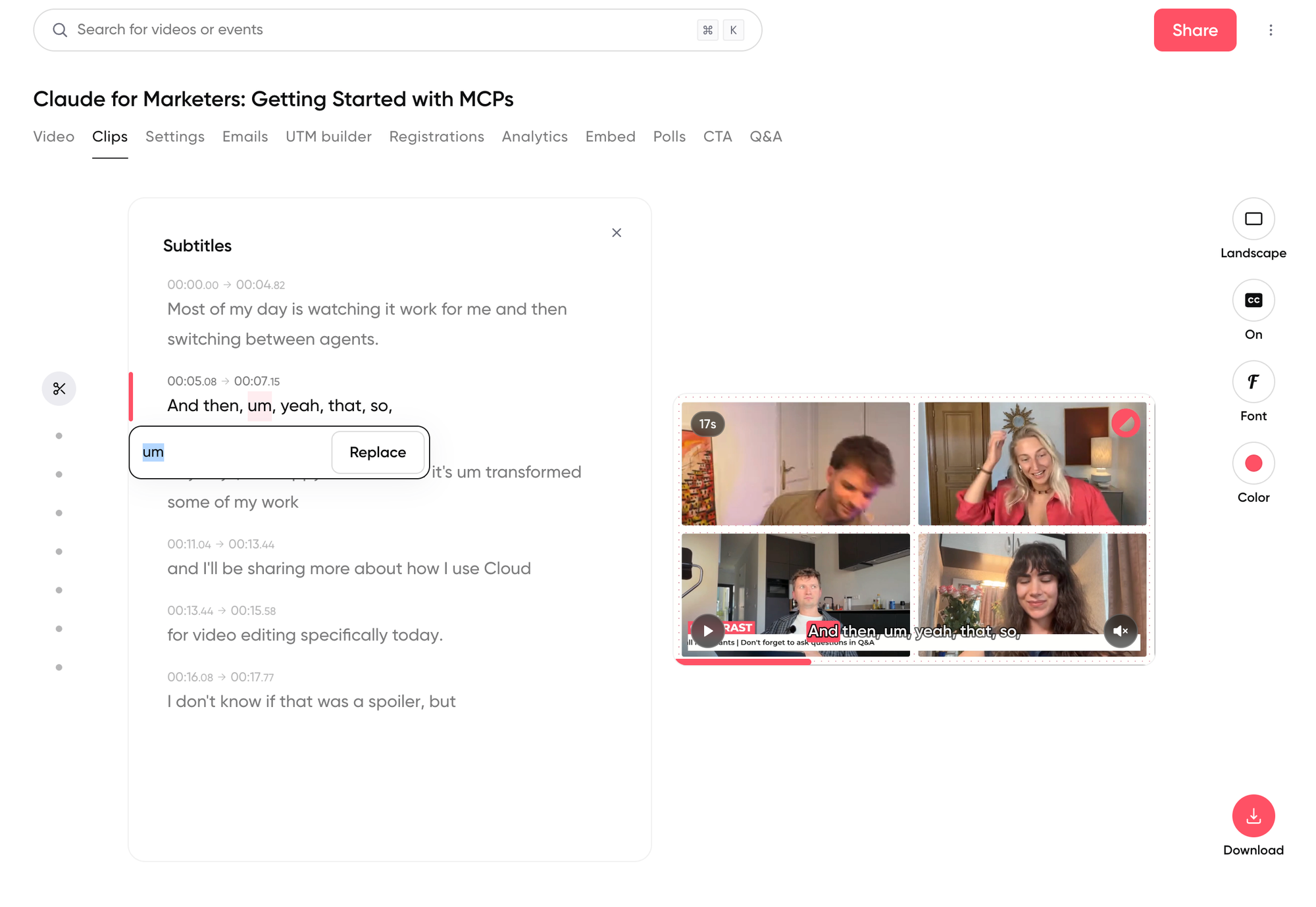
Portrait format gets pitched as the default for social clips, but roughly half of LinkedIn clip traffic still comes from desktop. Landscape isn't obsolete. It depends on where the clip is going to run.


Repurpose your next webinar
See how Repurpose AI generates a first draft from a transcript
Start for freeDistribution
Not every repurposing move creates new content. Some just extend the life of what already exists. The on-demand replay, hosted at the same registration link, keeps generating new leads long after the live event without any extra work. A "simulated live" replay, the recording rescheduled and presented as a live session, captures the urgency of a live date without requiring anyone to show up and run it again.
The most underused version of this is personalized, not broadcast: pulling one segment for one contact based on what they missed. Rally's team tried manual clipping before switching tools and described it bluntly: "I tried it once with the previous AMA to clip up my own videos and it was horrible. It took so much time. It was such a pain." With a searchable transcript, the same task (finding every moment a given topic came up, or the most relevant three minutes for one contact) turns into a targeted follow-up clip instead of an afternoon of scrubbing through footage.
Build a content repurposing strategy
Repurposing after the fact is always going to be a scramble. The better version starts before the webinar is even recorded: plan for a guest anecdote, an exact number, a moment of real disagreement, because those are exactly the moments that clip well and quote well later. Content repurposing strategy that starts at the recording stage produces better raw material than any editing decision made afterward.
Match the format to the actual goal instead of defaulting to "post everything everywhere." Chasing short-term reach means a clip goes out on social same-day. Playing the long SEO game means the blog article and FAQ page matter more than the clip ever will. Trying to do both equally usually means doing neither well.
A repeatable system beats a one-off effort:
- Same day: publish the on-demand replay at the existing registration link, and pull 1–2 clips for immediate social distribution.
- First week: publish the blog article, send the newsletter or email-series version, and build the FAQ page from the actual Q&A segment.
- First month: revisit engagement and poll data for a quote-graphic or stats post, and check whether any section is strong enough to expand into a standalone guide.
- Ongoing: keep a short list of "repurpose-worthy" webinars, the ones with real staying power for the next 6–12 months, instead of trying to repurpose every single session equally.
Run modern webinars on Contrast
Contrast has repurposing built into its platform helping you save time and money
Start for freeSystemizing this compounds. Zefort's team cut their post-webinar workflow from roughly 5 hours down to 30 minutes and used the time back to more than double their webinar frequency, from once a month to one or two sessions a week. Webinars now drive close to two-thirds of their new pipeline, a result of running more webinars becoming cheap enough to do, not of any single blog post performing better.
Five more formats worth knowing
The written, visual, and distribution categories above cover where most of a webinar's value goes. A handful of other formats are worth keeping in the toolkit for the sessions that call for them.
Podcast episode
Pull the audio track, trim the dead air, and it's ready for Spotify or Apple Podcasts. Worth doing when a session already sounds like a conversation rather than a lecture.
Slide deck as a PDF
Strip out anything that only made sense with someone talking over it, add a few captions, and the deck becomes its own downloadable resource. It's cheap to produce and works well as a lightweight follow-up for attendees who want the reference version.
Ebook
A structured argument that already exists in the transcript, given chapter headings and cleaned-up language. Publish it as an ungated HTML page, not a PDF download. AI crawlers can read a webpage; they can't read a locked file, so a gated ebook is invisible to exactly the search behavior the rest of this framework is built around.
Simulated-live replay
Scheduling a recording to play at a set time, with live chat running alongside it, gets most of the urgency of a live event without running the session again. Useful for reaching a second audience segment that missed the original date.
Screenshots
Poll results, an active chat thread, a strong slide, posted with a caption explaining what's happening. It's low effort, and it's the kind of raw, unpolished proof a webinar leaves behind.
Where repurposing efforts fall apart
The first failure mode is repurposing everything with equal effort. Not every webinar deserves a full written treatment. A niche product deep-dive with a shelf life of two months doesn't need the same repurposing investment as a foundational piece built to stay relevant for a year. Sort before producing, not after.
The second is publishing AI output unedited. A first-draft blog post from a transcript is a strong starting point, not a finished piece. Most teams doing this well still put a person through every draft before it goes live, checking tone and tightening the parts that read like a transcript rather than an article. Skip that step and the "grounded, not generic" advantage this whole approach is built on quietly erodes away.
The third is treating repurposing as a content-team-only exercise. The KitchenAid pattern of routing Q&A themes to product, customer success and marketing, and the personalized follow-up clip Rally now sends to individual contacts, both point at the same thing: the most valuable repurposed asset from a webinar is often a direct answer to one real prospect's exact question, not another blog post.
None of this changes the basic math. Teams that repurpose consistently report saving 3.5 to 9 hours a week depending on how much they publish, seeing about 1.3x the reach on social clips compared to one-off posts, and picking up roughly 11% more registrations to future webinars once repurposing becomes routine. That's visible proof, on a public page, that past sessions actually get used. A well-repurposed piece typically costs 10–25% of what a comparable piece of net-new content would take to produce. The webinar was already paid for. Repurposing just uses more of what it produced.
Repurposing turns one webinar into a working content system, and it pairs directly with building a content hub around a recurring source instead of commissioning net-new content for every channel. It also fits naturally into the post-webinar stage of a broader marketing plan, and into the registration lift that comes from proving past sessions get used.
This is why modern marketing teams are applying repurposing strategies to increase pipeline and do more with existing programs, such as their webinar program.
Book a demo and learn how teams are using Contrast to repurpose their webinars.
FAQ
What is AI content repurposing?
AI content repurposing is using an AI tool to turn one piece of source content, most effectively a video or audio recording with a transcript, into multiple new formats like blog posts, social clips, newsletters and FAQ pages. The quality depends entirely on the source material: a detailed transcript produces concrete, useful output, while a short prompt produces generic filler.
How do you repurpose webinar content with AI?
Start from the full transcript, not a summary. Generate written drafts (blog post, newsletter, FAQ) from what was said, pull AI-scored clips from the moments most likely to perform on social, and turn poll results or standout quotes into shareable graphics. The most efficient path expands the transcript section by section rather than trying to generate a full long-form piece in one pass.
What tools do you need for AI content repurposing?
At minimum, a transcription tool and a general AI assistant can produce a workable version. That's the manual stack most teams used before dedicated tools existed. A webinar platform with repurposing built in (automatic transcript, clip scoring, and draft generation from one source) removes the separate tools and the manual handoffs between them, which is usually where the 3–6 hours of manual work actually goes.
How often should you repurpose a webinar?
Not every webinar needs the same treatment. Reserve full repurposing (blog post, FAQ page, multiple clips) for sessions with staying power over the next 6–12 months. Shorter-shelf-life sessions still deserve the quick wins (replay, one or two clips) without the full production effort.
Do you still need to edit AI-repurposed content before publishing?
Yes. AI-generated drafts from a transcript are strong starting points, not finished pieces. A human pass matters for tone, accuracy, and trimming anything that still reads like a transcript rather than an article. Skip that step and even transcript-grounded content starts drifting back toward generic.
How do you measure whether content repurposing is working?
Track registration lift on future webinars, reach and engagement on repurposed social clips against non-repurposed posts, and organic traffic to the resulting blog or FAQ content. A rising registration rate over time is the clearest signal that past sessions are actually getting reused rather than published once and forgotten.
Can you repurpose webinar content without a dedicated tool?
Yes, but expect the manual time cost that dedicated repurposing tools are built to remove: roughly 2–3 hours to rewatch and take notes, 3–6 hours to draft a blog post, and 45 minutes per clip. That's the tradeoff most teams were making before repurposing features were built directly into recording platforms.